After trying over 15 translation software, I finally found the strongest free translation web page, PDF, and video subtitle tool 【Immersive Translate】. Trust me, you should uninstall other translation software

Today, I recommend the translation software I'm using for you: Immersive Translate! It can translate web/PDF/videos bilingual for me total freely, which will greatly boost your information acquisition efficiency!
1、The world is so big, I'll check it out first
But, but, unfortunately, my English reading level has regressed to around the sophomore year level, and it was probably at its peak in the senior year. As for other languages like French, Japanese, German, ..., I can't even read a single word. In the era of the Internet as a global village, language barriers still exist strongly, and have you ever encountered the following situations that I often struggle with:
- Seeing a well-filled foreign language webpage, technical blog, or document, but being discouraged by long segments of English?
- Writing papers or reports and downloading some foreign language PDF documents or reports, using some translation software results in a complete mess in terms of formatting, making it uninteresting and causing a headache?
- Wanting to follow updates from YouTube gurus, but finding it too difficult to digest the raw content, and machine-translated subtitles are awkward and wrong?
- Anyway, when we encounter non-Chinese scenarios, we feel lost and regret not having studied foreign languages more seriously?
After trying over 15 translation apps, I finally found this one that's getting rave reviews all over the internet! Bilingual comparison! Bilingual comparison! Bilingual comparison! The strongest free translation tool 【Immersive Translate】. Trust me, uninstall other translation apps, you won't be disappointed!
2、Main features of Immersive Translate
-
Completely free, Bilingual comparison, real-time translation of foreign language web pages
-
Can also translate PDF, EPUB e-books, video bilingual subtitles, etc. for free
-
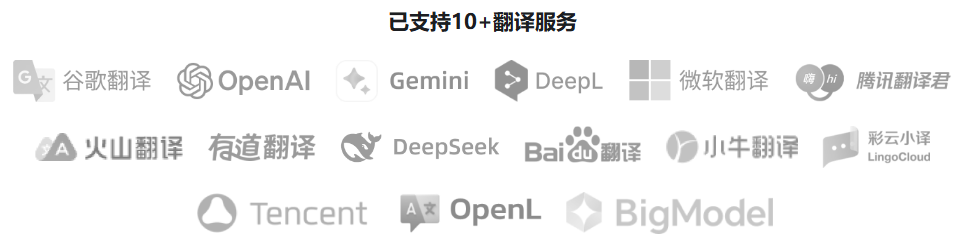
You can freely choose AI engines such as DeepL, Gemini, DeepSeek, DouBao, and Tencent Translate for translation
-
Multi-end support, you can use it anytime and anywhere on your computer or phone, truly helping you break through information barriers
The following are several reasons why I recommend you to use the immersive translation plugin. If you don't want to read, then just
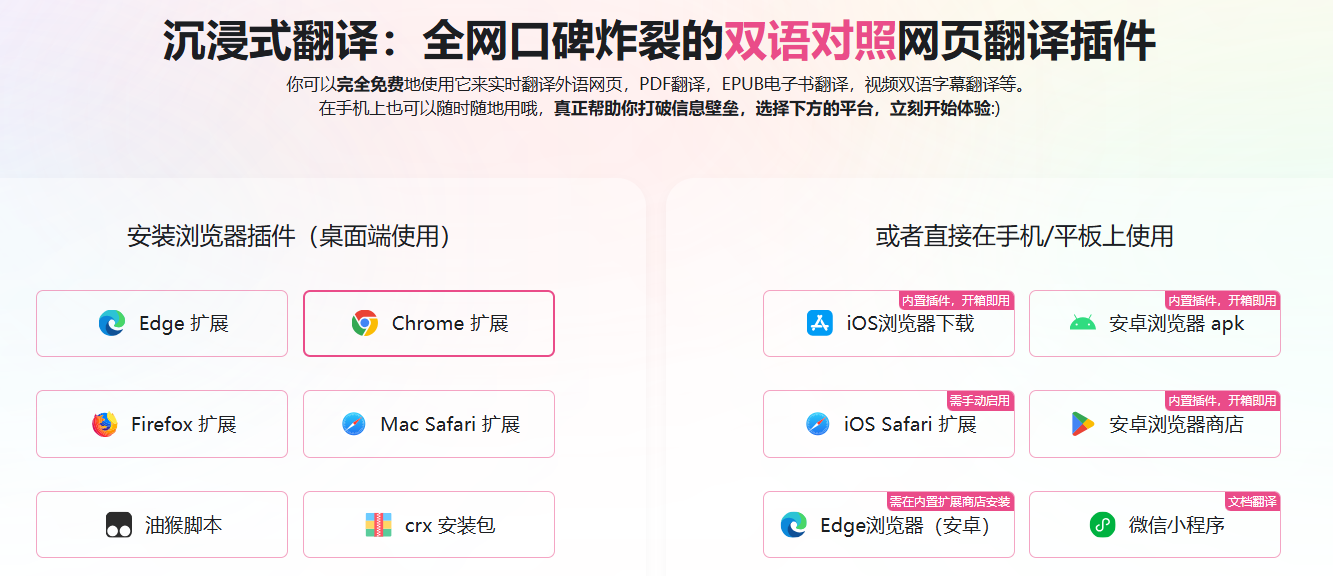
Click 【Immersive Translate】 or scan to download, install, and experience:
Don't forget to leave me a good review If use it well!
3、Free software
Nothing to say. I am a poor person from Hunan, only can afford free software. Of course, 【Immersive Translate】has paid features, but I haven't used it, so I won't comment.
4、Bilingual comparison, immersive web translation
I'm a half-baked programmer, occasionally going to foreign websites to learn excellent projects and gnaw on English documentation. My previous approach was to use the full-page translation feature in Chrome, Quark or Edge browsers. But I found that the translations often didn't convey the meaning well.
For example, the function Function was often translated as "feature".Library code library was frequently translated to "book library". The translation quality was quite poor, sometimes it was even worse than switching back to the original text, which was very inefficient to switch pages back and forth.
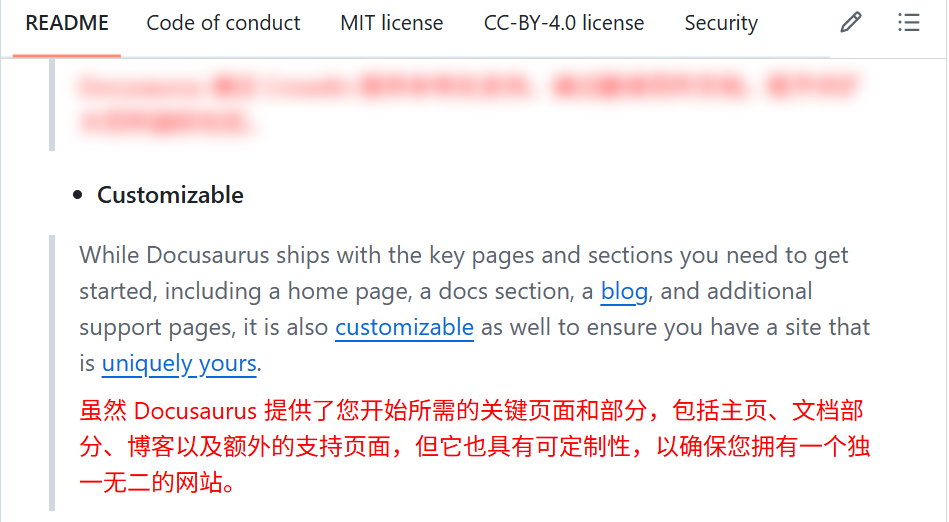
But the Bilingual comparison ability of 【Immersive Translate】displays the translation directly under the original text without popping up a window, not interrupting the flow of thought. Reading the original and translated texts side by side is very friendly, and reading is basically unobstructed.
4.1 Translation Style Settings
By default, the translation text by【Immersive Translate】are displayed in the same style as the original text, making it seem completely natural so much that I sometimes can't tell which is the translation and which is the original text.
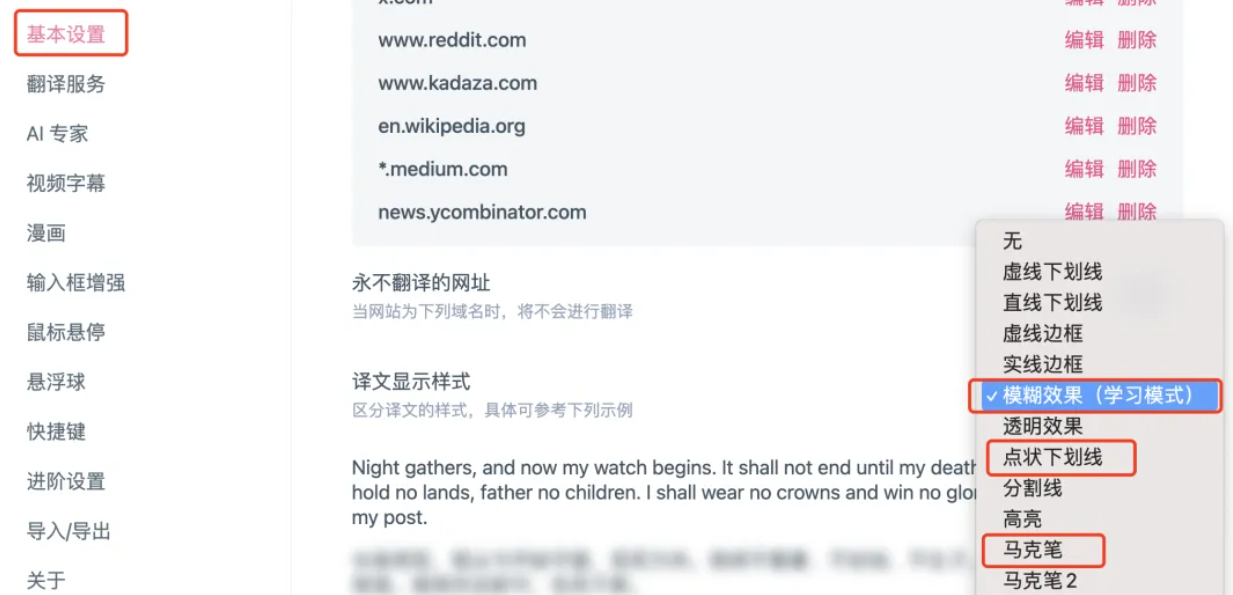
So I usually suggest setting the display effect of the translation. After clicking the "Settings" button of the plugin, find "Translation Display Style", set the translation color to a prominent red, or choose effects like highlighter, dotted underline, etc., so the difference between the translation and the original text is very obvious.
4.2 Advanced English Learning Tool - Study Mode
My general steps for browsing foreign language content are:
- First, skim the summary, translate the entire article or page at once, which can quickly get the main idea of the content.
- Second step is progressive intensive reading paragraph by paragraph. Tackle the original text on your own, understanding as much as you can, and then refer to the translation for parts you don't understand.
The "fuzzy effect (learning mode)" in "Immersive Translate" is truly an advanced English Learning tool. After setting "learning mode," the translation does not immediately appear but is instead blurred.
With this feature, you can force yourself to read English content first, and only refer to the Chinese translation when you indeed can't understand it, make it very suitable for training reading skills.
As shown in the figure below, first translate the entire text and then blur it:
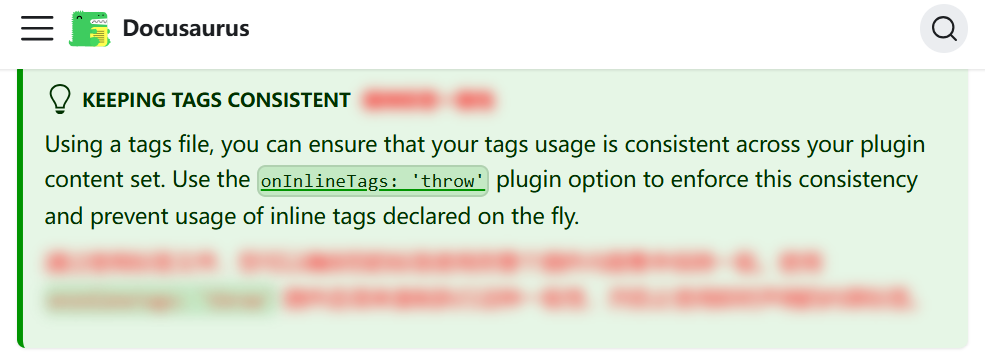
Directly read the original text....Emm, can't understand? Then hover your mouse over the blurred translation below the original text and read the translation:
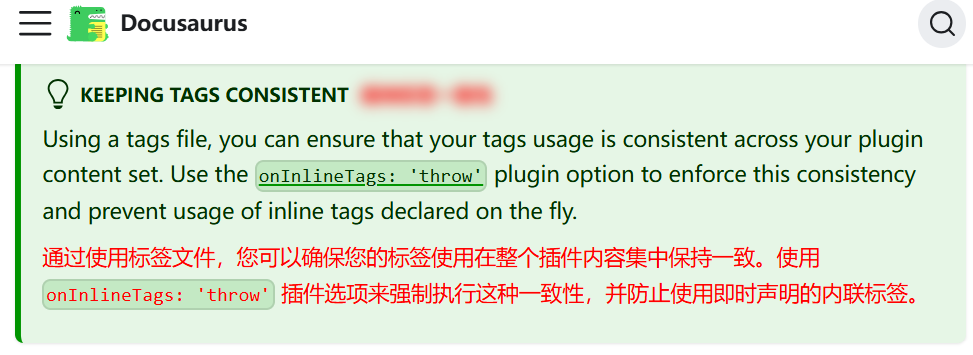
Wow, after training in this reading mode, I can now usually understand the original text directly most of the time.
I strongly recommend you don't read the bilingual comparison translation fistly, your English won't improve much and you might become a bit lazy and dependent. Let's start learning mode, only translate the parts you indeed can't understand, and your English reading skills will improve dramatically!
4.3 Translate the part you don't understand
After training like this for some period, you will truely be an English reading expert, a full text in English is no problem for you, there might be a few obscure parts. At this point, you can set it so you don't have to translate the entire text every time, just translate the parts you don't understand. After enabling the "Mouse hover + Translate this paragraph directly" in the settings, hover your mouse over the text, and you can translate a specific paragraph individually, point and click, it's really convenient.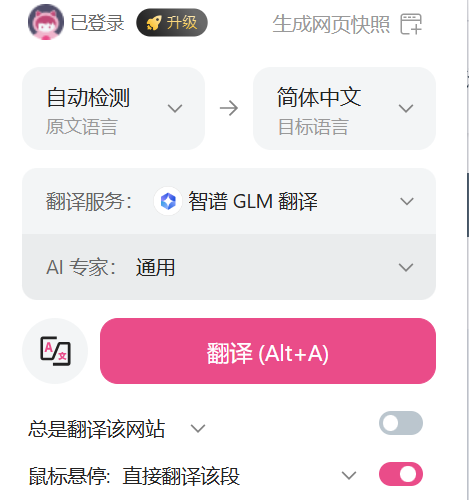
4.4 Press space three times to translate immediately
Sometimes we want to search for high-quality English materials, in any search engine's search box, input Chinese content, then press three consecutive spaces, it will trigger the input box translation ability of immersive translation, and it will translate the Chinese we input into English, helping us to search more richer, propriet content.

Click 【Immersive Translate】 or scan to download, install, and experience:
5、Super practical PDF and EPUB translation
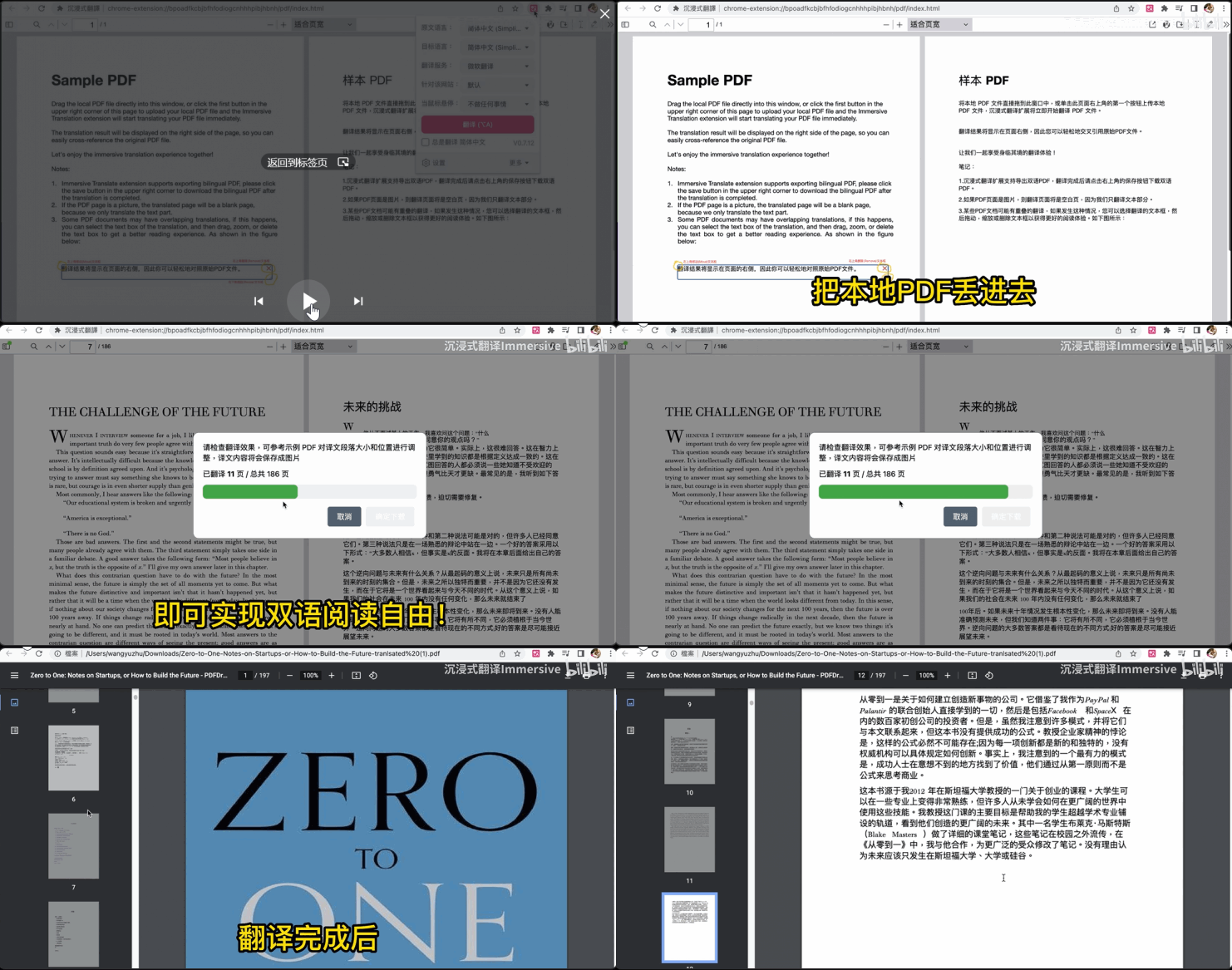
【Immersive Translate】plugin can also translate PDF for free. It translates PDF documents while preserving the original document layout, supporting the free choice to download either the translated version or the bilingual PDF version with original and translated text. Combined with the AI translation engine, whether you need academic papers in foreign languages or multilingual business contracts, you can get the most professional translation results with a single click using Immersive Translate.
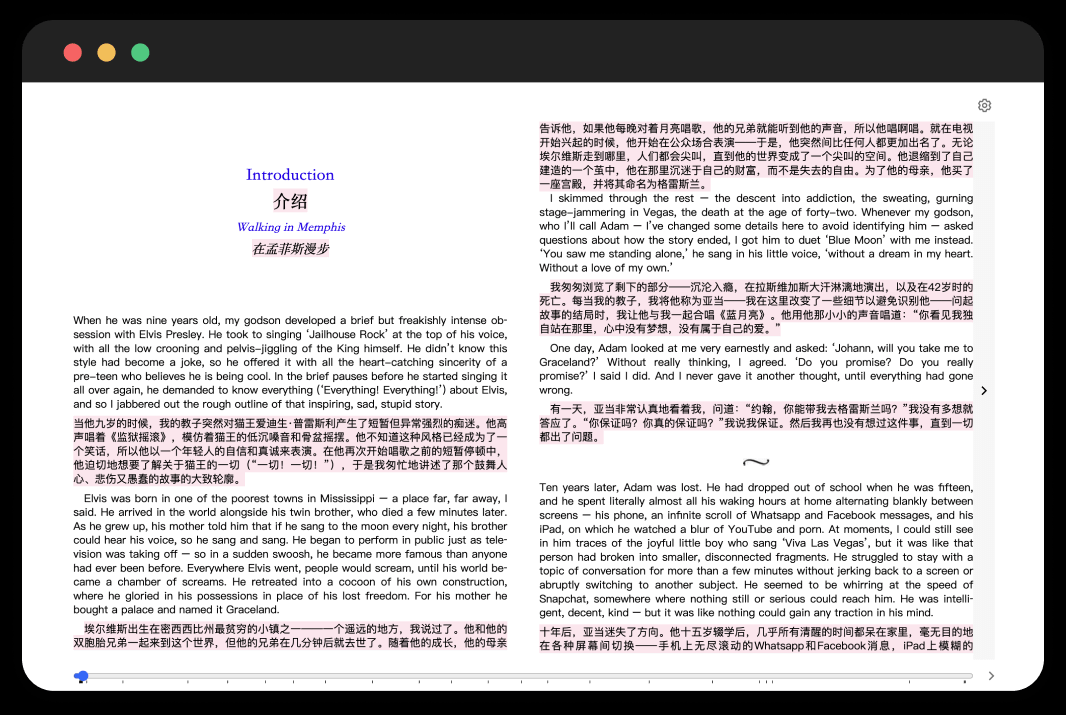
Use the 【Immersive Translate】plugin to create bilingual EPUB e-books like never before! A one-click EPUB translation tool can quickly translate foreign language EPUB e-books into beautiful bilingual or single target language versions, seamlessly compatible with various e-book readers. Imagine you can export EPUB files from AO3, use Immersive Translate to translate them into bilingual EPUB files, and then import them into Kindle for reading. A new immersive bilingual reading experience allows knowledge and fun to flow without boundaries.
6、Video subtitle translation
Webpage, PDF, EPUB translation is just three of the main useful features of this plugin. The most explosive feature is Immersive Translate supports translating subtitles on videos. So many excellent English videos on YouTube were hard to understand previously. But now, by clicking the icon in the bottom right corner of the video to enable dual-language subtitles, you can use 【Immersive Translate】 to translate video subtitles in real-time. Whether it's Japanese, German, or English, everything will be in Chinese in your eyes! Now you can completely ignore language barriers, break information gaps, and enjoy all the excellent resources on the internet!
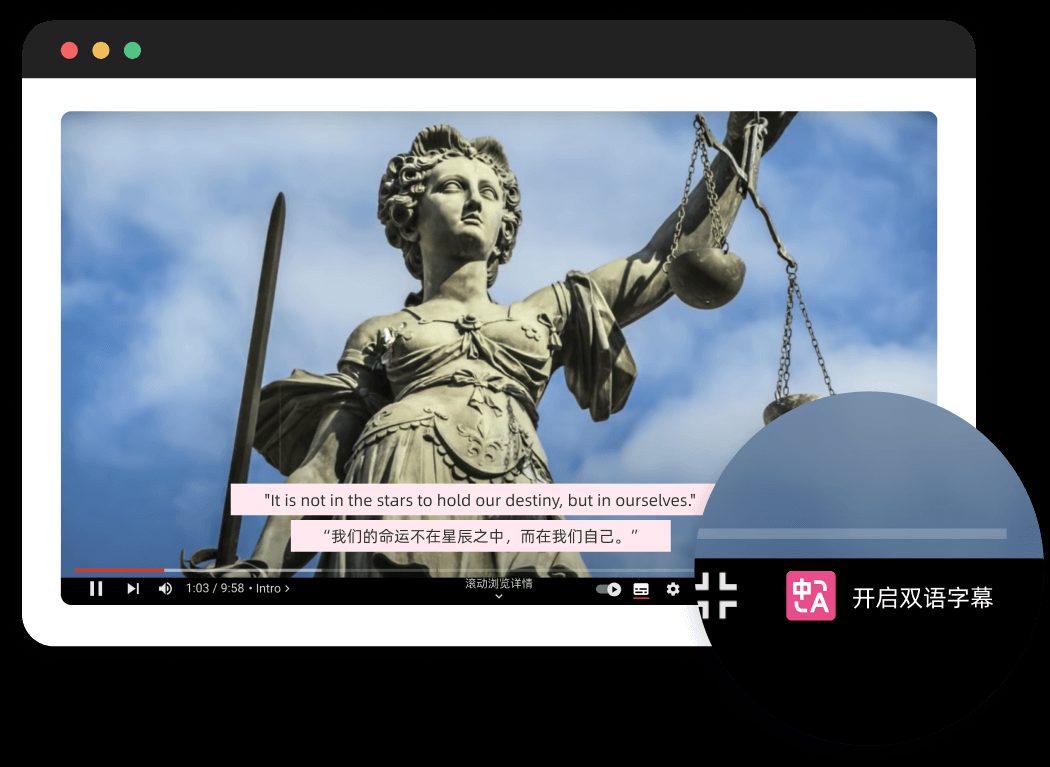
【Immersive Translate】 supports real-time dual-language subtitle translation for over 60 mainstream online video websites including YouTube, Netflix, and Udemy. With the original foreign language audio combined with the native language original text/translation dual-language subtitles, you can fully understand the video content and naturally learn a foreign language during the viewing process, improving your listening, speaking, reading, and writing skills subconsciously.
7、Freely Switch AI model
【Immersive Translate】supports switching between various translation engines. For example, if you are in a domestic environment and cannot use Google Translate, you can switch to free Microsoft Translate and Tencent Translate. If you want more accurate translation results, you can use the recently added free translation model: chatglm and siliconflow.
Each AI provide a certain amount of free translation quota in characters. It is recommended to set up "enable mouse hover + Ctrl translation for this paragraph" for single segment translation to save tokens and prevent over-quota which could result in charges!!!
8、Multi Client
Supports Chrome Edge 360 Firefox mainstream browsers, mobile Wechat Mini program ...... For example, you can download the 'Immersive Translate Browser' from the app store, which comes with an immersive translation plugin. I often use it to read Hacker News and watch videos on Douyin during my commute, making the most of my fragmented time. Also, recently, isn't there a surge of foreigners on RedBook? There are a lot of English contents. By opening RedBook in the 'Immersive Translate Browser', you can read RedBook and comments in both languages!
WeChat Mini Program supports PDF translation, for example, it can directly obtain Kafka paper files from chat records, and after translation, it is displayed in a bilingual side-by-side mode that is easier to read. Don't forget to try it if you like to read English e-books on your phone!
Last but not least
Alright! If you find this plugin helpful, don't forget to share this webpage with your brothers and sisters who are losing their hair quickly! The free version of 【Immersive Translate】satisfies most usage scenarios, but the membership version might be even better! If you are a member, could you let me try it out?
Click 【Immersive Translate】 or scan to download, install, and experience: